



Google added branded vs non-branded data to the Search Console API on Nov 16. Here's how to tell real SEO growth from people who already knew your name.
Your Search Console clicks are up 20% this quarter. Good news, right?
Maybe. If most of those extra clicks come from people typing your company name, your SEO didn't win you a single new customer. Those people already knew you. A newsletter, a referral or a podcast mention did the work.
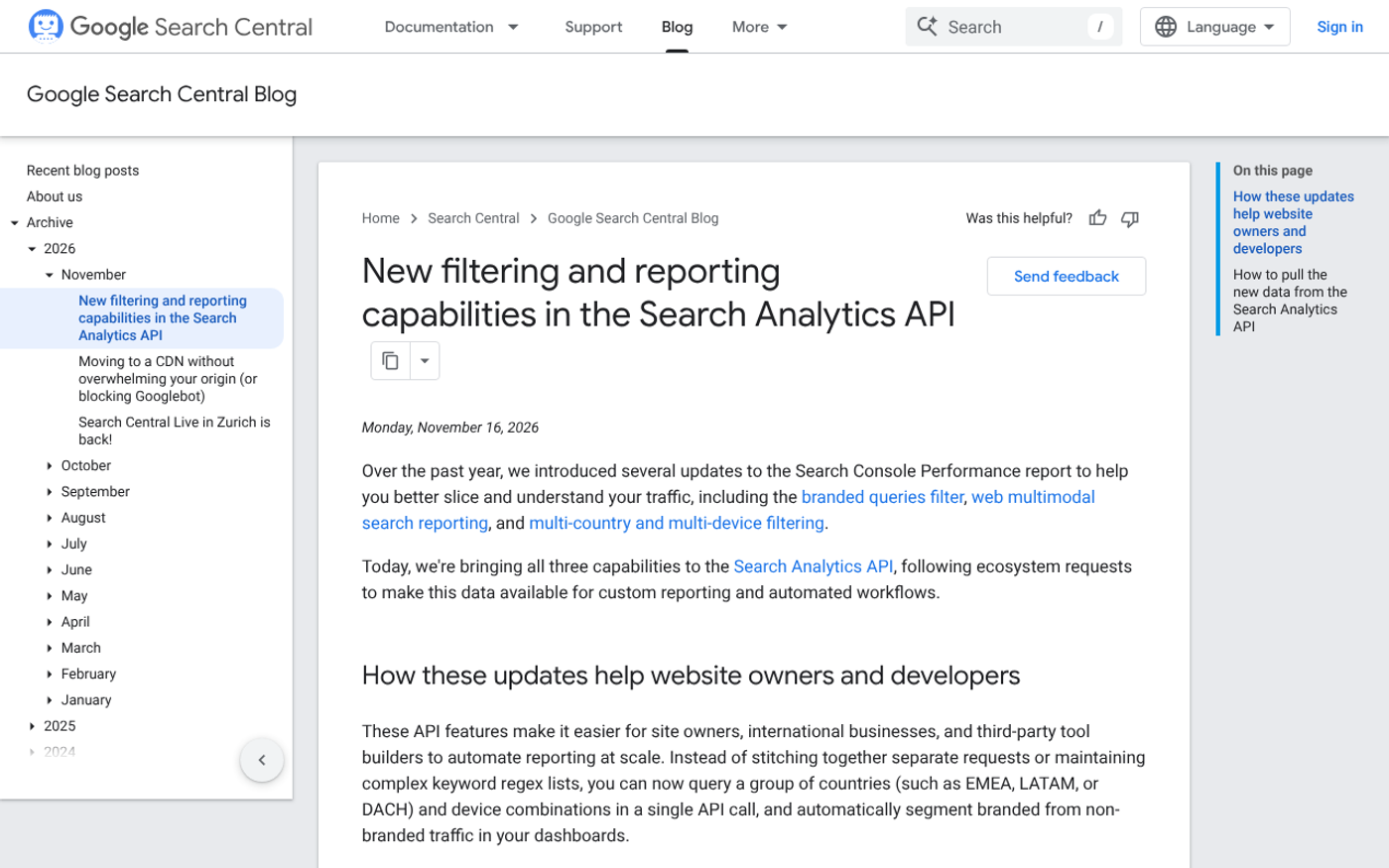
On November 16, 2026, Google made that question much easier to answer. According to Google's Search Console team, the Search Analytics API now supports the branded queries split, Google Lens style traffic, and multi-country filters. Here's what changed and how to use it this week.
Key Takeaways
- Google's Search Analytics API now returns a `brandedClassification` field, so reports and dashboards can separate branded from non-branded search performance automatically.
- Branded clicks measure how well people already know you, while non-branded clicks show whether new customers find you through search, which is the real test of SEO growth.
- Only eligible properties return branded data through the API. For every other property, the response simply comes back with no rows.
- A new `webMultimodal` search type reports performance from Google Lens, Circle to Search on Android and image uploads in Google Search.
- A new `filterLists` field lets you filter by several countries or devices in one request, which saves time for businesses selling in the US and UK.
- None of this changes your rankings. It changes how clearly you can see what is working, and that is where better budget decisions start.
What Did Google Add to the Search Analytics API?
Google brought three features that already existed in the Search Console web interface into the API, where agencies, analysts and dashboard tools can pull them automatically.
- Branded queries. Group or filter by the `brandedClassification` field to compare branded and non-branded performance.
- Web multimodal. Set `type` to `webMultimodal` to get data from Google Lens, Circle to Search on Android and image uploads in Google Search. For properties with an active bulk data export, Google says this data is also available in BigQuery.
- Multi-country and multi-device filters. The new `filterLists` field lets one request cover several countries or devices, for example a group of countries in a single call.
If you only ever open the Search Console website, you may not care about an API change. But the tools that build your monthly SEO report, whether that's Looker Studio, a spreadsheet script or your agency's dashboard, now have access to the same split you've been able to click on in the interface.

What Counts as a Branded Query?
It's more than a keyword match. In its original announcement of the filter, Google defines a branded query as one that includes your brand name, variations or misspellings of it, or related products or services. The classification is AI-assisted, so it also catches the brand name in other languages and typos, plus queries that name a product that only your site offers.
The same post adds two cautions. Some queries may be misclassified, and the filter doesn't affect how your site ranks in Google Search.
That second point matters. Nothing about your visibility changed on November 16. Only your view of it did.
Why Branded vs Non-Branded Is the Split That Matters
Google explains the purpose plainly. The filter helps you separate traffic from people who already know your brand from traffic from people who are new to it. Per the same announcement, branded queries usually lead to higher-ranking pages and higher click-through rates, while non-branded queries show how new users find your content without a prior intent to visit your site.
So a blended click number hides two very different stories.
Here's how the two groups behave when you read them side by side:
- Branded clicks reflect awareness you built elsewhere: word of mouth, ads, PR, social, email and sales calls. SEO mostly collects it.
- Non-branded clicks reflect new demand you captured through content and rankings. This is the number that tells you whether SEO is bringing in strangers.
- A rising total with flat non-branded clicks usually means your brand grew, not your search presence.
If you've ever wondered why traffic rose but leads didn't, this split is a good first place to look. We covered another cause in Why Is My SEO Not Working? 5 Checks to Run Before You Quit.
Who Can See Branded Data? Check Your Eligibility
Not every property gets it. According to Google's announcement, only top-level properties qualify, so URL path properties such as a single folder of your site, and subdomain properties, don't. Sites also need enough query and impression volume. Google said in a March 11, 2026 update that the filter is now available to all eligible sites.
In the API, the rule is blunt: for properties that aren't eligible, the response won't include any rows.
That has a practical consequence. If your report suddenly shows empty branded rows, check the property type before you assume something broke. A small or brand-new site may simply not have enough data for the split yet.
A Quick Example: Reading the Split
Say you run a Shopify store and your Search Console total is up quarter on quarter. You pull the API report with branded and non-branded rows separated, and you see two possible pictures.
Picture one: the brand is carrying the number
Branded clicks climbed while non-branded clicks stayed flat. Your marketing is creating awareness, but your content and product pages aren't winning new searches. The fix is on the page side: category pages, guides and comparison content that answer what a stranger types before they know you.
Picture two: search is finding new customers
Non-branded clicks climbed, and branded clicks moved less. Now you've got evidence that SEO is reaching people who didn't know you. Protect it by checking which pages earn those clicks and adding internal links and fresh content around them.
Either way, you're making a decision from real information instead of a blended average. That's the whole point.
What Is Web Multimodal Search Data?
This is the second addition, and it covers a part of search many reports ignore. Setting `type` to `webMultimodal` returns performance from Google Lens, Circle to Search on Android and image uploads in Google Search, according to Google's post.
Why should a business owner care? Because people increasingly search with a camera or a screenshot instead of words. If you sell products people can photograph, such as furniture, clothing, tools or food, this is where those shoppers show up. Now your dashboard can count them rather than burying them in totals.

How to Use This Update This Week
- Open Search Console and check the filter. In the Search results Performance report, look for the Branded queries option. If you can't see it, your property may not be eligible.
- Compare the last 3 months with the same period a year ago. Look at branded and non-branded clicks separately, not the total.
- Ask your reporting tool or agency to add the split. If your monthly report is built from the API, the `brandedClassification` field is now available to it.
- Review your top non-branded pages. These are the pages doing real acquisition work. Make sure they load fast, answer the query and link to a next step.
- Add multimodal data if you sell visual products. Ask for the `webMultimodal` type in your report so image-led searches get tracked.
Not sure where your reporting stands? Our SEO reporting and forecasting service and analytics setup work are built for exactly this kind of gap.
Where This Update Doesn't Help
It won't fix a site with little search demand, and it won't improve your rankings. Google is clear that the filter has no ranking effect.
It's also a classification, not a verdict. Google warns that some queries can be misclassified, so use the split to spot direction, not to argue over single queries. And if your property isn't eligible, you'll get no branded rows at all, so a different approach is needed, such as grouping queries yourself with a regex filter in the Search Console interface.
Finally, a lot of businesses with small brands will see mostly non-branded data anyway. For those sites the split is less dramatic, and the bigger win is usually fixing the pages that already rank on page two.
FAQs
What is a branded query in Search Console?
A branded query is a search that includes your brand name, a variation or misspelling of it, or a related product or service. Google uses an AI-assisted system to classify them, so it goes beyond simple keyword matching and can occasionally misclassify a query.
Does the branded queries filter affect my Google rankings?
No. Google states that the filter doesn't affect how your site ranks in Search. It's a reporting tool that segments your data so you can see how known and unknown audiences reach you.
Why is my branded data empty in the API?
Only eligible properties return branded data. For other properties, the API response contains no rows. Check that you're using a top-level property, not a URL path or subdomain property, and that the site has enough query volume.
What does the webMultimodal search type show?
It returns performance data from Google Lens, Circle to Search on Android and image uploads in Google Search. If your property has an active bulk data export, Google says this data is also available in BigQuery.
How do I tell if my SEO is really working?
Look at non-branded clicks and impressions over time, then connect them to leads or sales in your analytics. Rising non-branded clicks that lead to enquiries are a strong sign. Rising total clicks driven by your own brand name are not.
Conclusion
The one idea to remember: total clicks flatter you, and the branded split tells you the truth about whether strangers are finding your business.
This week, open your Performance report, apply the branded filter and write down your non-branded click trend. It takes ten minutes and changes what you ask your SEO team to fix.
If you'd like a second pair of eyes on those numbers, we're happy to help. You can get a free quote and tell us what you're seeing, or read about our SEO services.
Sources
- Google Search Central: Search Analytics API update (Nov 16, 2026)
- Google Search Central: Introducing the branded queries filter in Search Console
- Search Engine Roundtable: Google Search Analytics API adds branded queries, multimodal and country/device filters


John Doe
Supreb Information. Thanks
15 July 2014 View replies . 1